Benn Using SculpOK for a bit now, Having a few issues. So far I have made around 35 depthmaps, about 8 of them are getting cropped in the conversion making them unusable. Even tried one twice, same issue. Ususally a coin design, and the rims are cropped off. The second thing is that when a sculptok depthmap is imported into lightburn, I am unable to adjust image Contras, Brightness, or Gamma. The sliders are unresponsive. Happened on the last 10 or so. I have to upload the depthmap PNG into any other software, do nothing but resave as a PNG, then import back into lightburn before these adjustments can be made. I am not a paying member yet, but at 22 credits per conversion and download, I am hesitant to invest in this. What am I doing wrong? I do not have these issues on any of the other conversion sites I have been trying.
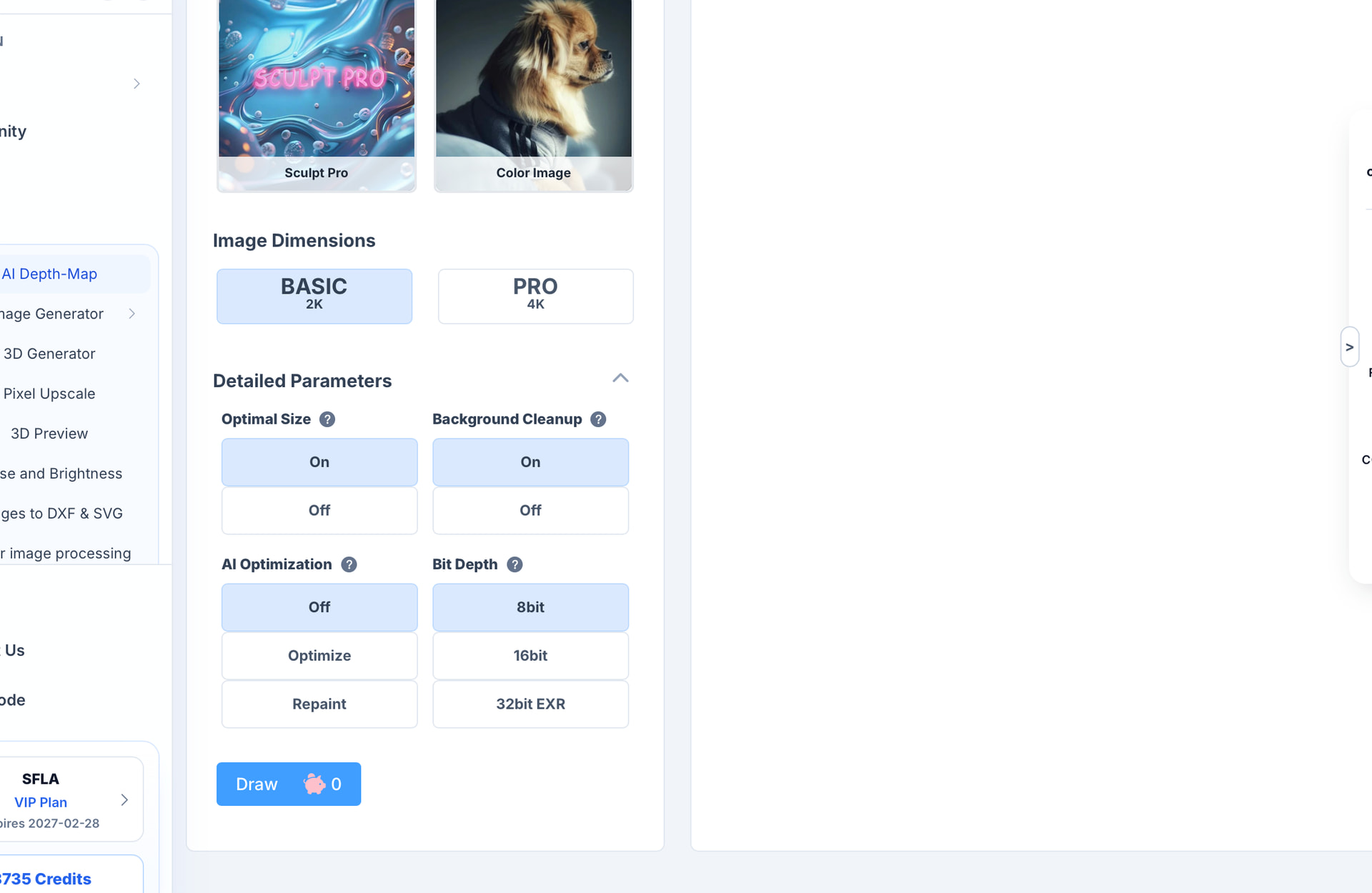
Do you see where it says optimize size, don’t select this and you should not get cropped depth maps.
The other issue is more of a problem, why wont lightburn let me adjust Contrast, brightness, and Gamma in adjust image? Only happens with sculptok conversions. I have to open the PNG in any other image software, change nothing and re-save it. Then lightburn allows adjustments.
I just tested and am able to adjust mine. What version of lightburn are you using and can you send a sample file to [email protected] that doesn’t work for you?
I cannot send and one that had this issue, all seem to have done it. But if I open the created dm in anything else and resave them the problem is solved. I am using newest version of lightburn. I do not have this problem anywhere but sculptok conversions. I have already resaved all the problem ones from photo viewer or something and fixed them.
hi this is Marb 3D Carving designer here is my question when ever i generate the Dpthmap by Sculpt ok the Ai generate the texture on surface of Dpthmap image which is difficult to smooth in Art Cam 2018 because when i try to remove that texture from Dpthmap image by smooth method the detail of modle convert into blur kindly guide me how i can i get the Dpthmap image without extra texture.
Hello, you can try to use our new Depth Map Editor function to adjust your output depth map.